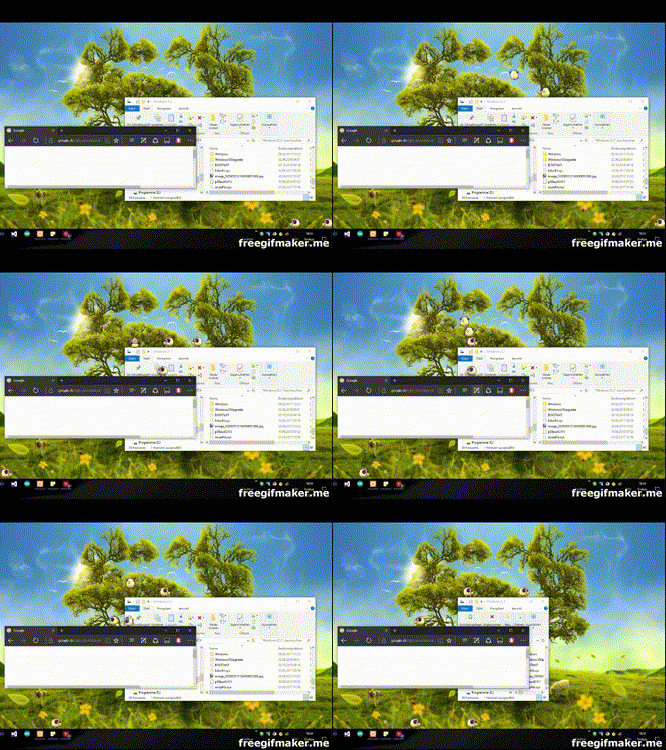
Motion regression checks
These checks build an isolated Windows runtime and configuration. They do not read or modify an installed pet’s configuration. Interactive suites briefly show pets and a topmost support window; run them in an active, unlocked desktop session.
Run
Prerequisites: Visual Studio Build Tools with desktop MSBuild and Roslyn, NuGet, and the .NET Framework 4.7.2 targeting pack. From the repository root:
nuget restore src/DesktopPet_Portable.sln
powershell -NoProfile -File tests/run-motion-tests.ps1
The default matrix is Portable Release x64/x86, scales 1/3, on every connected display. Outputs are retained in a fresh temporary directory printed by the runner. Package restore is a separate prerequisite; the runner does not download packages.
Optional parameters:
-FrameworkPath: reference assembly directory, including thebuild/.NETFramework/v4.7.2directory of theMicrosoft.NETFramework.ReferenceAssemblies.net472NuGet package.-MSBuildPath: desktop MSBuild executable.-Platforms,-Scales,-Displays: arrays when invoked directly in PowerShell.-OutputDirectory: a new directory for binaries, configuration and build files.
For example, from a PowerShell session:
$output = Join-Path $env:TEMP ('DesktopPet-check-' + [guid]::NewGuid().ToString('N'))
& ./tests/run-motion-tests.ps1 -Platforms x64,x86 -Scales 1,3 -Displays 0 -OutputDirectory $output
The runner stops on build, compilation or assertion failure. A passing run applies only to the architectures, scales and connected displays exercised by that run.
Timing and transition contract
Logical collision coordinates remain separate from interpolated window positions. Before an ordinary sprite tick, elapsed motion is sampled. In smooth mode, a transition with remaining movement holds the outgoing animation’s last valid frame for its terminal XML interval, then commits its endpoint before changing animation. This preserves logical distance and gives the final segment real elapsed time: the successor starts one terminal interval later than an immediate transition. Ordinary sprite intervals and the disabled-smoothing path are retained.
The incoming animation’s OffsetY is applied before sound and child creation. OffsetY corrects the displayed sprite; it does not change logical ground contact. Explicit drag, sync, toss animation and respawn changes cancel pending transitions. Drag and toss retain their independent motion clocks and frame loops.
SetNewAnimation owns cancellation, outgoing endpoint settlement, incoming offset,
sound and children. CompleteNaturalTransition adds the first-frame publication,
landing attachment decision and sprite scheduling for sequence/border/gravity
transitions. Explicit actions retain their own presentation and scheduling.
The 8 ms motion timer is a scheduling request, not a frame-rate guarantee. Integer window positions and the Windows message loop limit presentation. The temporary 1 ms timer-resolution request is released when motion stops or the pet is disposed; stationary attachment uses window events with a 100 ms polling fallback.
Suites
| Suite | Coverage |
|---|---|
MotionTests.cs |
Interpolation endpoints, direction changes, negative coordinates, window transforms and timestamp-based drag velocity. |
DisplayTopologyTests.cs |
Removed display indices, XML bounds, relocation and callbacks after disposal. |
MotionAuditTests.cs |
Nine state checks for elapsed render ordering, transition endpoints, disabled-mode following, child options and live settings. |
RuntimeMotionTests.cs |
Native movement, stock walking distance/cadence, following and support closure, landing, rebound, toss, mirroring, respawn, concurrent pets and resource cleanup. |
TransitionRuntimeTests.cs |
Production SetNewAnimation -> child.Show -> PlayChild across borders, landing, sequence completion and dynamic landing expressions; outgoing endpoint order and child anchors in both smooth modes. |
ContinuousTransitionTests.cs |
Running native timers across stock run_begin -> run and fall hard -> walk; actual sprite pixels, terminal duration/distance, positive/negative OffsetY and children across subsequent sequences. Also live off/on, sync, drag/release, toss with/without an animation, respawn and close during pending transitions. |
Continuous frame assertions compare actual PictureBox pixels on every sprite tick.
The partial-repeat fixture expects 2,3,4,5,4,5 (RepeatFrom=2), then holds the last
frame only during smooth completion. ContinuousTransitionTests.exe accepts
run-only or offset-only as its third argument for focused binary comparisons.
Evidence boundaries
Tests use stock eSheep XML where indicated. Child, repeat and interruption fixtures also use deterministic synthetic animation definitions with stock sprites. Some state setup and observations use reflection. Interruption checks call production handlers with seeded toss velocity; they do not inject real mouse input.
Automated assertions and native windows are not subjective visual acceptance. Before release, separately check real pointer capture/release, child choreography, multiple monitors, mixed DPI, monitor removal, long sessions and battery use. Store packaging and installation are not covered by this Portable runner.